A privacy-first app for iPhone, iPad, and Mac that keeps your records, your medical certificate dates (first class, second class, or third class), your Special Issuance paperwork, and your MedXPress and BasicMed prep organized, so you walk into every exam ready.
When a pilot runs into trouble with their FAA medical, it's usually not their health. It's the documentation. In the Federal Air Surgeon's own words, "most of these denials resulted because of a failure of the applicants to provide sufficient information." And it's common: about 1 in 16 certified airmen fly on a Special Issuance, and nearly 1 in 5 past age 65.
The FAA says so itself: in its April 2025 review, the agency named "incomplete information on airmen's submissions" a top challenge, and noted Special Issuances have roughly doubled since 2019. Getting the paperwork complete before you submit is the part this app helps with.
Sources: FAA Federal Air Surgeon · FAA 2024 Aerospace Medical Certification Statistical Handbook (Oct 2025) · FAA "Improving the Medical Process" (Apr 2025).
Fills the parts of the FAA form you'd otherwise retype every cycle.
On iPhone, iPad and Mac it's one tap: Fill MedXPress opens the FAA's MedXPress site right inside the app, with no Safari setup. Prefer Safari? The extension still works. On a Windows PC, the Chrome or Edge extension does it. Either way, it fills MedXPress Items 1 to 19 straight into the live form: your application details, medications (Item 17), every Item 18 answer, Yes and No, with the explanations you saved, and doctor visits (Item 19), so you don't retype the same information every renewal. You review every entry and submit it yourself. The autofill sends nothing to me. Your first MedXPress autofill is free for 7 days from your first Fill, in the app or in Safari. After that, autofill every renewal is part of Guardian Pro. On a Windows PC, the Chrome and Edge extension needs Guardian Pro from the start.
Read the FAA MedXPress guide → How the autofill works →On a Windows PC: Chrome or Edge setup →
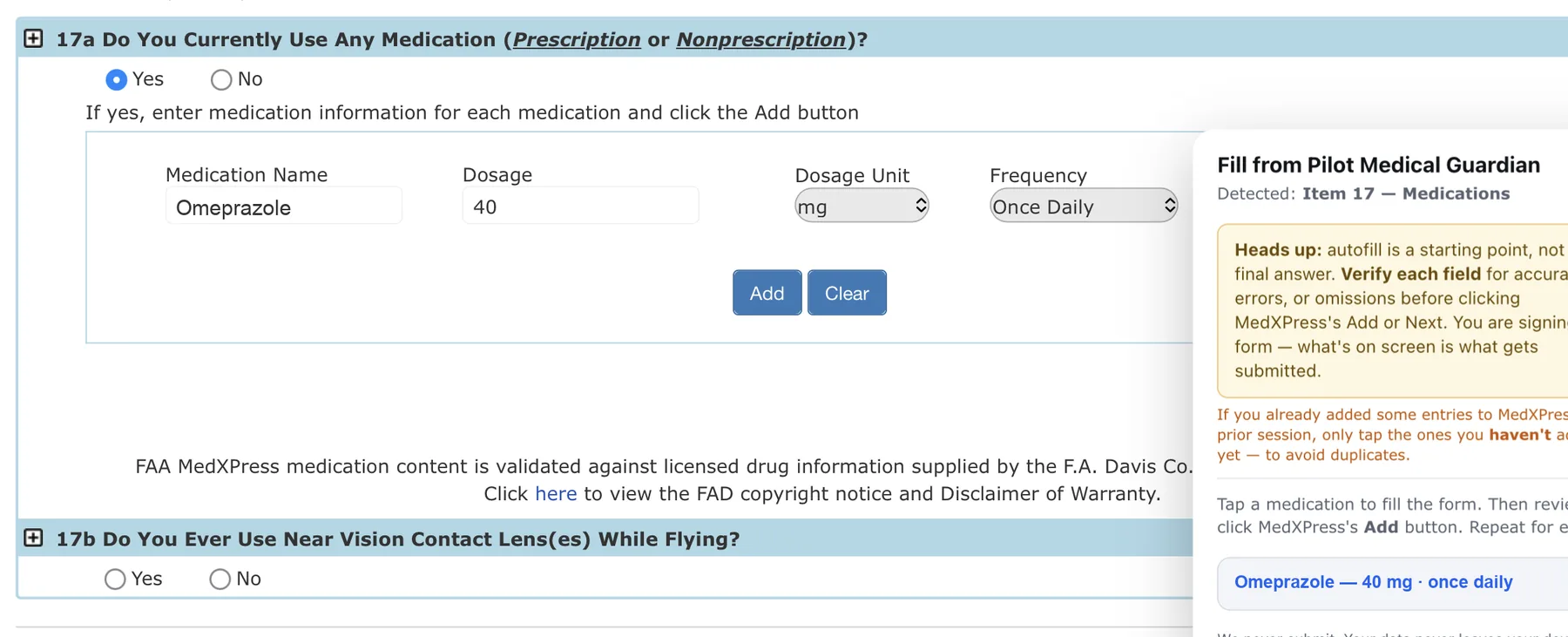

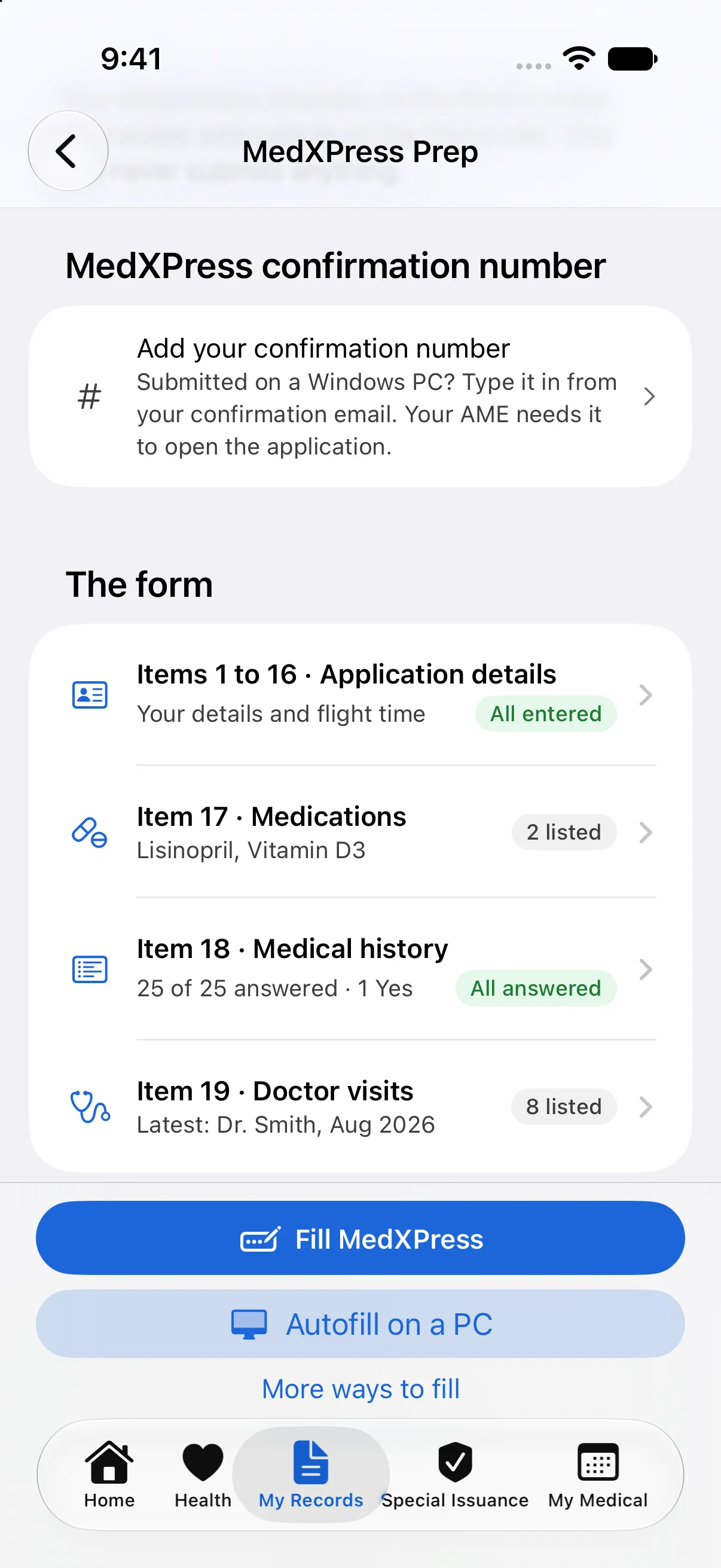
The app keeps your history and last cycle's explanations, so you answer once and reuse them. In MedXPress the autofill enters your Yes answers with their explanations and every No, then checks the page against your records. You review every answer before you continue.
Your certificate expiration (or your BasicMed course and exam dates) from the real 14 CFR rules, with reminders before anything lapses.
It figures your certificate's expiration from the actual 14 CFR 61.23 rules (your class, your age at the exam, the end-of-month convention), or your BasicMed course and exam clocks, and reminds you before anything lapses.
FAA medical duration chart →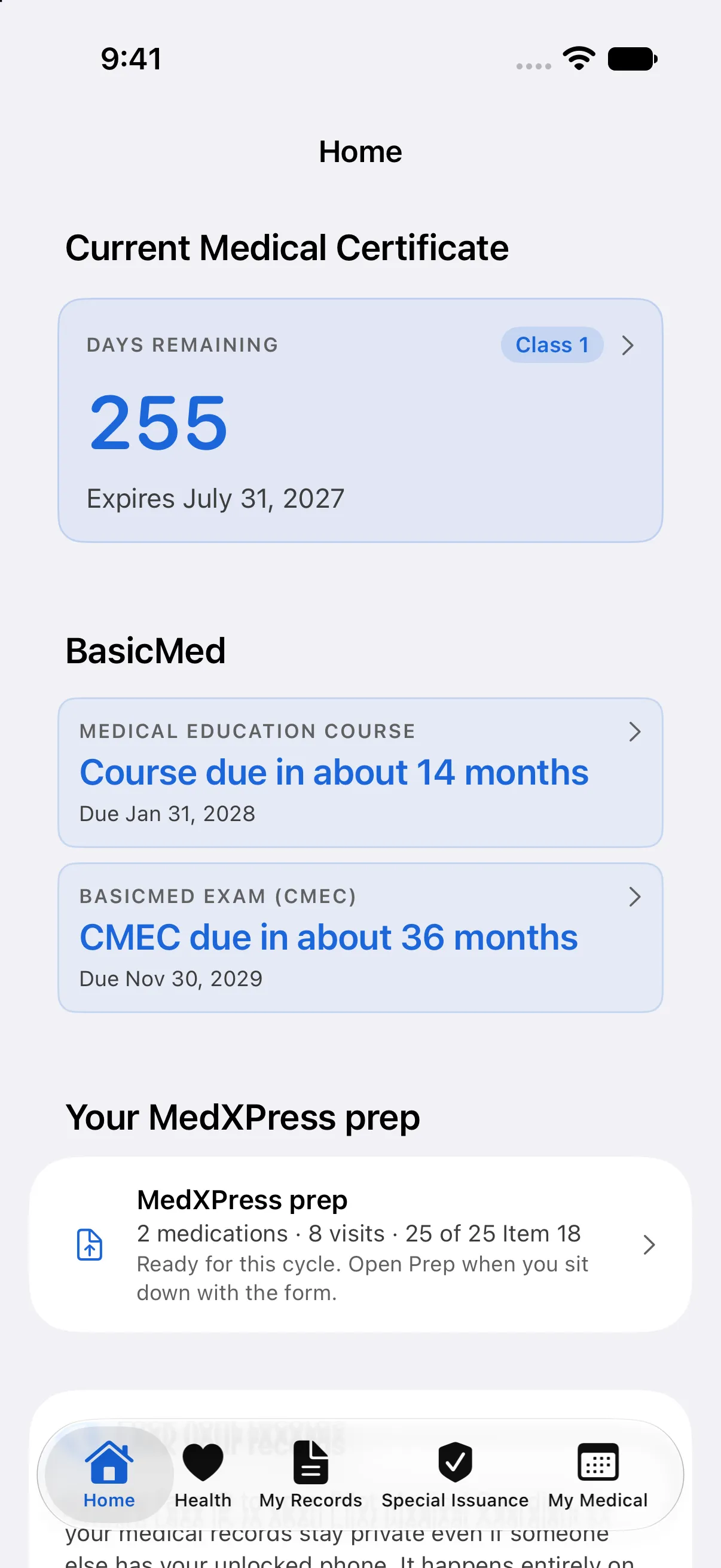

Track your Part 68 course and exam dates, and fill the pilot section of FAA Form 8700-2 from records you already entered.
Fly under BasicMed? The app tracks your 24-month medical course and 48-month comprehensive medical exam (CMEC) against the FAA's cited intervals, with reminders. It also fills the pilot section of FAA Form 8700-2 from records you already entered.
BasicMed privileges and limitations →Requirements, documents, and change-alerts in one place.
See what's coming up for your condition, from the FAA's published requirements, store physician letters and test results, track what you've sent to the FAA, and get alerted when those requirements change.
How an FAA Special Issuance works →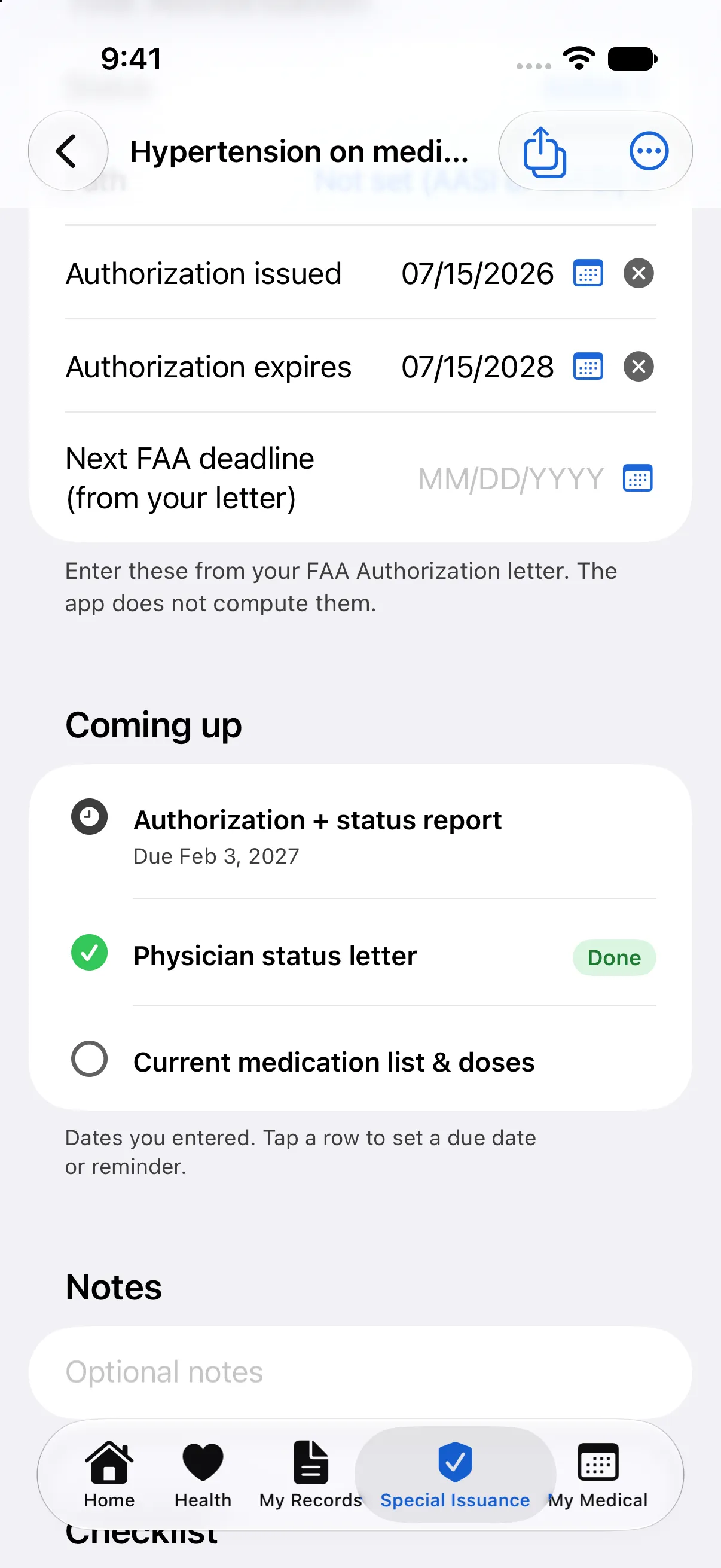
Opens the FAA's CACI Worksheet right in the app when one of your Item 18 Yes answers matches a condition on the FAA's CACI list.
If one of your Item 18 Yes answers matches a condition the FAA covers with a CACI Worksheet (hypertension, asthma, hypothyroidism, prediabetes, retained kidney stones, and others), the app points you to that worksheet. It's the FAA's own document for that condition. With Guardian Pro it opens right in the app, offline, to read, share, or print. Without Guardian Pro you still get the FAA citation and a link to it on faa.gov. The app never says whether you'll be issued. That's decided by your AME and the FAA.
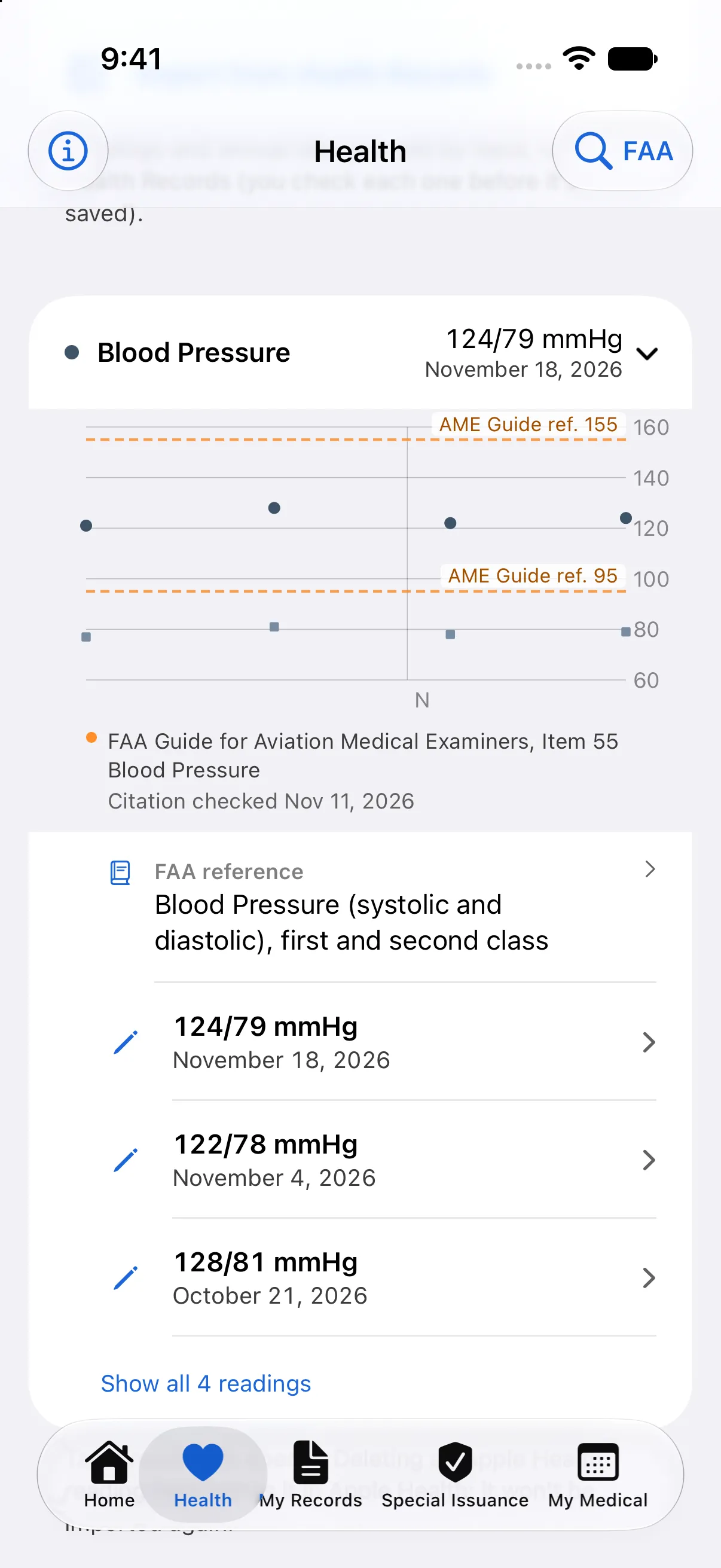
Charts your metrics against the FAA's own cited limits, so you can see where each of your numbers stands.
Connect Apple Health (read-only) and the app charts your metrics next to the FAA's own cited thresholds, so you can see where each of your numbers stands before your exam. It never renders a pass/fail.
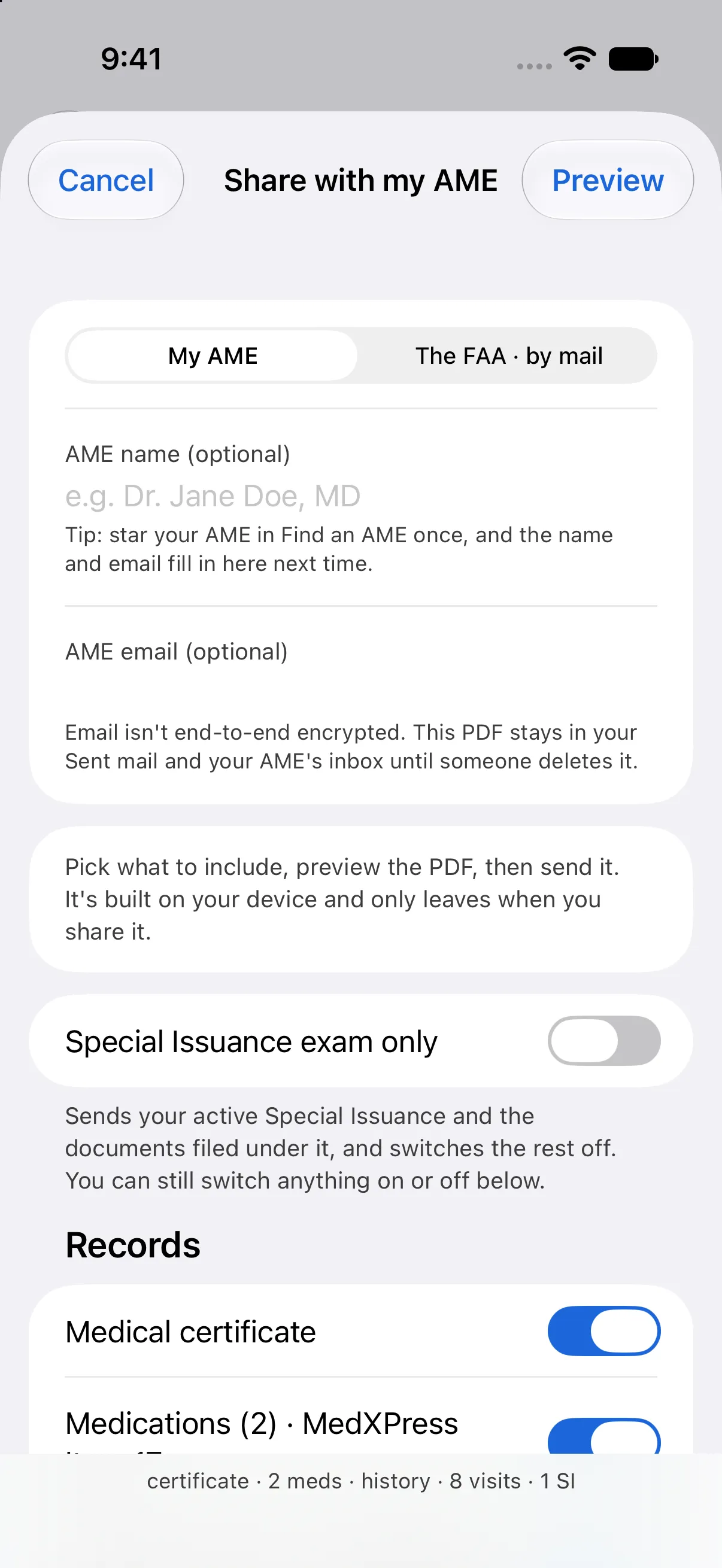
Scan, import, or share a PDF or photo, keep it organized, then bundle what you choose into one PDF and send it to your AME from your phone. The bundle is built on-device.
Keep lab results, letters, and scans in your own library, then choose exactly what to bundle into one clean PDF for your AME. It's built on your device and sent only when you send it.
Lab results, physician letters, test reports, your Special Issuance authorization. They arrive as PDFs and paper from every direction. Bring them all into one place: scan a paper letter, import a PDF or photo you already have (a result your doctor emailed, or one you saved from your patient portal), or share one straight in from Mail or Files. The app keeps them organized, filed on their own or linked to the Special Issuance condition they belong to.
When it's time for your exam, bundle what you choose into one clean PDF and send it to your AME right from your phone: your certificate or BasicMed dates, medications, visits, Special Issuance, and the documents you've saved. You pick what goes in; it's built on your device and only leaves when you hit share.
Everything stays on your device and your own iCloud. Nothing is uploaded to me.
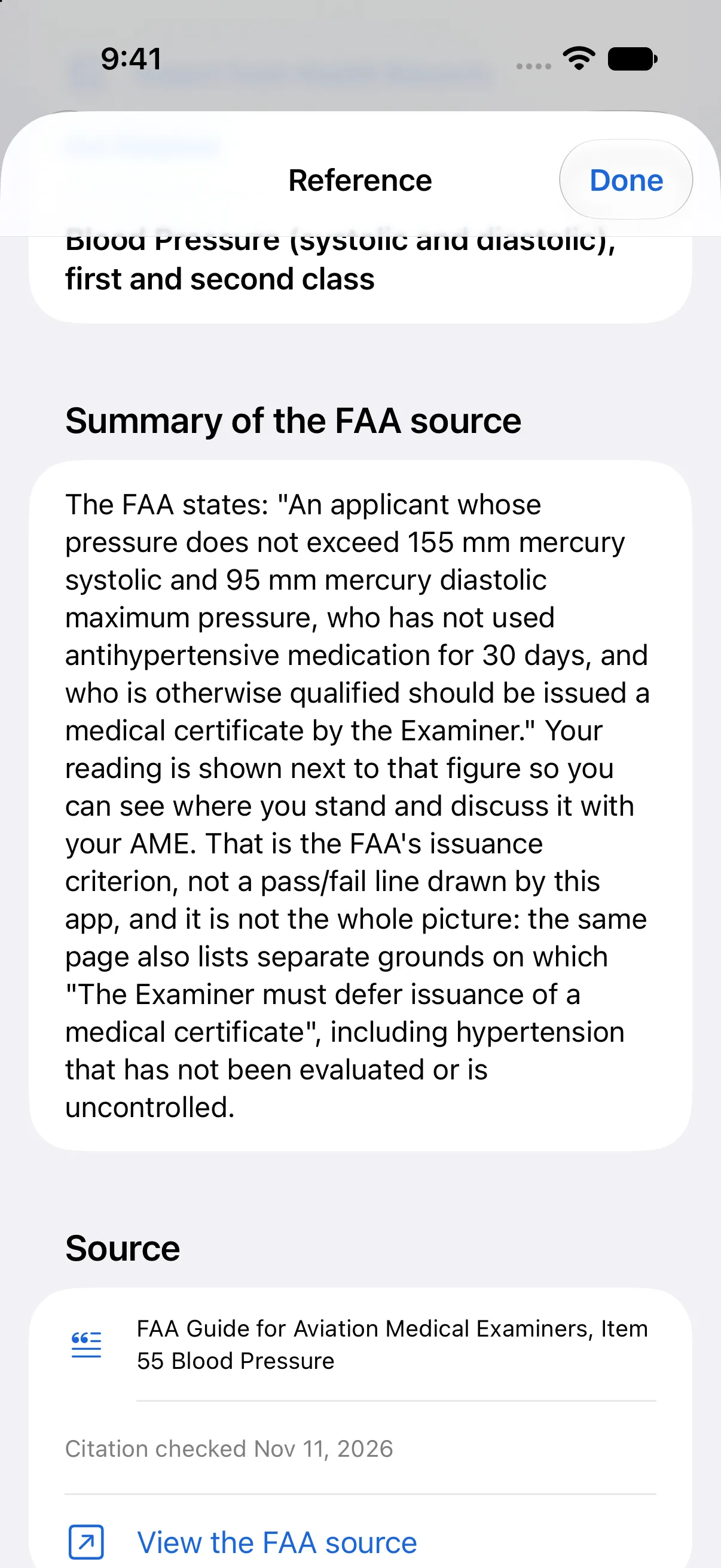
Ask a plain question and get the FAA's own answer, with the citation and a link to the source.
Type something like “how long is a first class medical” or the name of a medication, and the app searches everything it carries from the FAA: medication status, the thresholds your readings are measured against, certificate durations, BasicMed, CACI conditions, Special Issuance requirements, the Item 18 questions, and where to mail documents. FAA results are quoted from published FAA material and cited to it, with the date that entry was last verified and a link to the FAA's own page, so you can read the original yourself. Plain-language definitions of aviation-medical terms are listed separately under “Definitions” and labelled as my words, not the FAA's. Searching runs entirely on your device and never touches your own records. It's free, and it reports what the FAA published without telling you what it means for you.
Find an examiner by location, including HIMS-trained.
Search for an Aviation Medical Examiner by location, including HIMS-trained AMEs. It's a factual reference, with a link to the FAA's official locator.
Find an aviation medical examiner →Most pilots fill out MedXPress sitting at a computer. The Mac app puts your records on that same machine: click Fill MedXPress to open the form inside the app (Safari works too), click Fill on each page, and your application details, medications, Item 18 answers and doctor visits drop into the form. You review every line and submit it yourself. On a Windows PC, the Chrome or Edge extension does the same with Guardian Pro (below).

What you enter on your iPhone is already here. Your records sync through your own iCloud, so nothing new leaves your devices.
Medication lists, visit histories and the Item 18 questions go faster on a real keyboard and a big screen than on a phone.
Guardian Pro carries across iPhone, iPad and Mac. If you already subscribe, you're set.
Free to download. Requires macOS 15.6 or later. Same App Store listing as the iPhone and iPad app. Screen uses sample data.
There's no Windows app. Your records live in Pilot Medical Guardian on your iPhone, iPad, or Mac. On your Windows PC, with Guardian Pro, a small extension for Chrome or Edge reads them and fills MedXPress Items 1 to 19: your application details, medications, every Item 18 answer and your doctor visits. You review every page and submit it yourself.

The same one you use for the app. The extension reads your records from your own iCloud, read-only, and keeps them only in that browser's memory. After 30 minutes the extension won't use them and deletes them the next time you open it or use it to fill MedXPress. Clicking Clear my records or quitting the browser removes them right away. Nothing is sent to me.
On a work computer, or with Advanced Data Protection on? Send to a computer in the app on your iPhone or iPad makes an encrypted file and a code instead.
The extension is free to install and works with your Guardian Pro subscription. Your free first autofill is on iPhone, iPad, or Mac, in the app or in Safari.
The extension needs the app: your records are entered in Pilot Medical Guardian on iPhone, iPad, or Mac, and the extension only reads them. Screen uses sample data.
From 5-star App Store reviews
"Filling out my FAA MedXPress is always such a giant headache. Pilot Medical Guardian simplified that headache into an easy process and saved all my info for my next medical."
"Save your visits and your paperwork so you don't need to search your calendar every year."
"Filling out my MedXPress has never been easier… Whether you have a SI or not this is the perfect tool."
"This takes one more level of stress out of my AME visit."
Pilots are already using it to prep their actual FAA medical.
I'm a pilot at a major U.S. airline. Over the years I watched friends, healthy and capable aviators, get blindsided not by their health, but by the paperwork around it: a renewal that slipped, a Special Issuance requirement that got missed, a MedXPress answer that didn't match last cycle's. So I built the tool I wanted: private by design, grounded in the FAA's own published rules, and built so that no one but you can ever see your data. It keeps you organized; your AME still makes every certification decision.
Written by Ryan, founder of Pilot Medical Guardian
Screens use sample data.
This app is an information and record-keeping tool. It is not medical, legal, or FAA compliance certification, and it is not medical advice. It helps you stay organized; your AME makes the certification decisions.